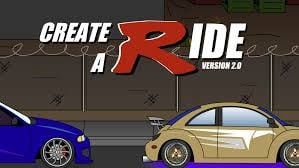
Dream Car Studio Vehicle Designer
Reviews
Dream Car Studio Vehicle Designer offers a satisfying creative outlet for car enthusiasts and casual players alike. The intuitive controls make it easy to experiment with colors, decals, and parts. The drive mode adds a nice touch, letting you see your creation in action. It is a free, family-friendly game that encourages imagination and attention to detail.
About this game
Game Introduction
Dream Car Studio Vehicle Designer is an online creative tool that allows players to design and personalize their own vehicles. The game provides a wide range of options for customizing every aspect of a car, from the paint color to the smallest decorative details. Players can select vibrant colors for the body, wheels, and interior, apply decals to express their style, and swap out parts such as bumpers, hoods, exhausts, and rims. The game also includes the ability to create a custom license plate with letters and numbers. Once the design is complete, players can take their car for a virtual drive in various environments, such as a city street or a scenic highway. This creative experience is suitable for car enthusiasts and players of all ages who enjoy expressing their artistic side. The game is completely free to play in a web browser and offers a safe, family-friendly environment for creative exploration.
How to Play
To begin, players select a base car model from the available options. Using simple mouse controls, they can choose colors for the body, wheels, and interior. A library of decals allows players to place stickers anywhere on the vehicle to add personality. Players can also upgrade parts by selecting from different hoods, exhaust tips, and rims to give their car a unique look. A custom license plate can be designed using letters and numbers. When the design is finished, players can click a drive button to see their car in action on different roads. The controls are intuitive and easy to use, making the game accessible for both children and adults.
Game Features
Key features include a wide selection of paint colors and finishes for the body, wheels, and interior. A large library of decals can be placed anywhere on the vehicle. Customizable parts such as hoods, bumpers, spoilers, exhausts, and rims are available. The ability to create personalized license plates with letters and numbers adds a personal touch. A drive mode lets players see their car in action on a city street or scenic highway. Simple mouse controls make the game easy for all ages to use. No downloads or installations are required, as the game runs directly in a web browser.
Tips for Success
Dream Car Studio Vehicle Designer encourages creativity and attention to detail. Experiment with different color combinations and decal placements to create a unique design. Take time to explore all available parts and options to fully personalize your vehicle. The drive mode is a great way to see your creation from different angles and in different environments. Enjoy the process and let your imagination guide you.